

Pick Colors#
Convey meaning through color. The pn.ui components are built on the Material Design color system, which lets you choose from a broad set of hues and shade combinations to create a cohesive color theme that matches your brand or style.
Picking colors#
Official color tool#
The Material Design team provides a palette configuration tool at m2.material.io/inline-tools/color/. It helps you:
Select color pairs and gauge their accessibility levels.
Generate palette suggestions you can directly feed into a
theme_config.
Using the palette#
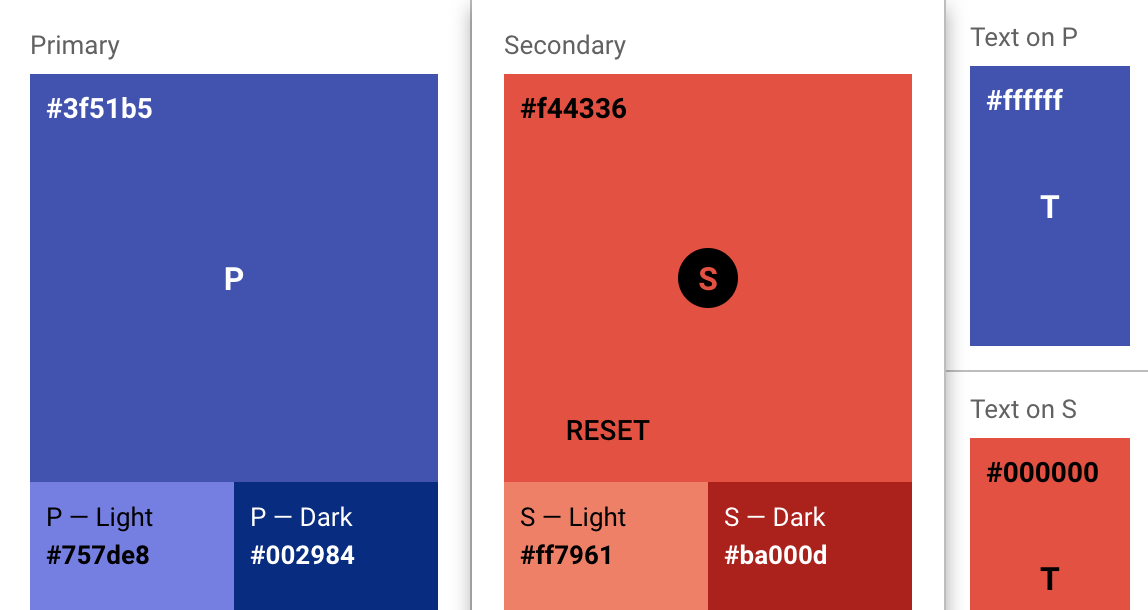
Colors are specified in the palette section of a theme_config dictionary. Below is a simple example customizing both the primary and secondary colors:
import panel as pn

pn.extension()

my_theme = {
    "palette": {
        "primary": {
            "light": "#757ce8",
            "main": "#3f50b5",
            "dark": "#002884",
            "contrastText": "#fff"
        },
        "secondary": {
            "light": "#ff7961",
            "main": "#f44336",
            "dark": "#ba000d",
            "contrastText": "#000"
        }
    }
}

pn.ui.Row(
    pn.ui.Button(label="Primary Button", color="primary"),
    pn.ui.Button(label="Secondary Button", color="secondary"),
    theme_config=my_theme,
).servable()
If you only provide main, the light, dark and contrastText tokens are calculated automatically. Defining all four explicitly lets you fine-tune exactly how your components appear. Colors must be hex, rgb() or hsl() strings; named CSS colors are not supported. See Customize the Color Palette for details.
Playground#
The Material Design color system site includes interactive sliders and hex fields for picking primary and secondary colors. Once you find colors you like:
Copy the resulting hex codes.
Plug them into
theme_config["palette"]for primary and secondary.Any component that uses the primary or secondary color will reflect these choices.
For example, if you settle on purple for primary and a certain red for secondary:
my_theme = {
    "palette": {
        "primary": {
            "main": "#9c27b0"  # Purple 500
        },
        "secondary": {
            "main": "#f44336"  # Red 500
        }
    }
}

pn.ui.Row(
    pn.ui.Button(label="Purple", color="primary"),
    pn.ui.Button(label="Red", color="secondary"),
    theme_config=my_theme,
).servable()
If you want to let users pick colors in your app, take a look at the ColorPicker widget.
Tools by the community#
mui-theme-creator: A web UI for picking colors, showing how components appear under various palettes.
Material palette generator: Google’s official tool for generating harmonious palettes.
Accessibility#
According to WCAG 2.1 Rule 1.4.3, text should have a contrast ratio of at least 4.5:1. Material UI’s default contrastThreshold only guarantees 3:1. If you need higher contrast (AA-level compliance), override the threshold in your theme:
my_theme = {
    "palette": {
        "primary": {"main": "#3f50b5"},
        "contrastThreshold": 4.5,  # Force higher contrast across the board
    }
}
For more details, refer to the Material UI palette accessibility docs; the same principles apply to the pn.ui components.
